OverlapStrap Y Chassis Rebuild

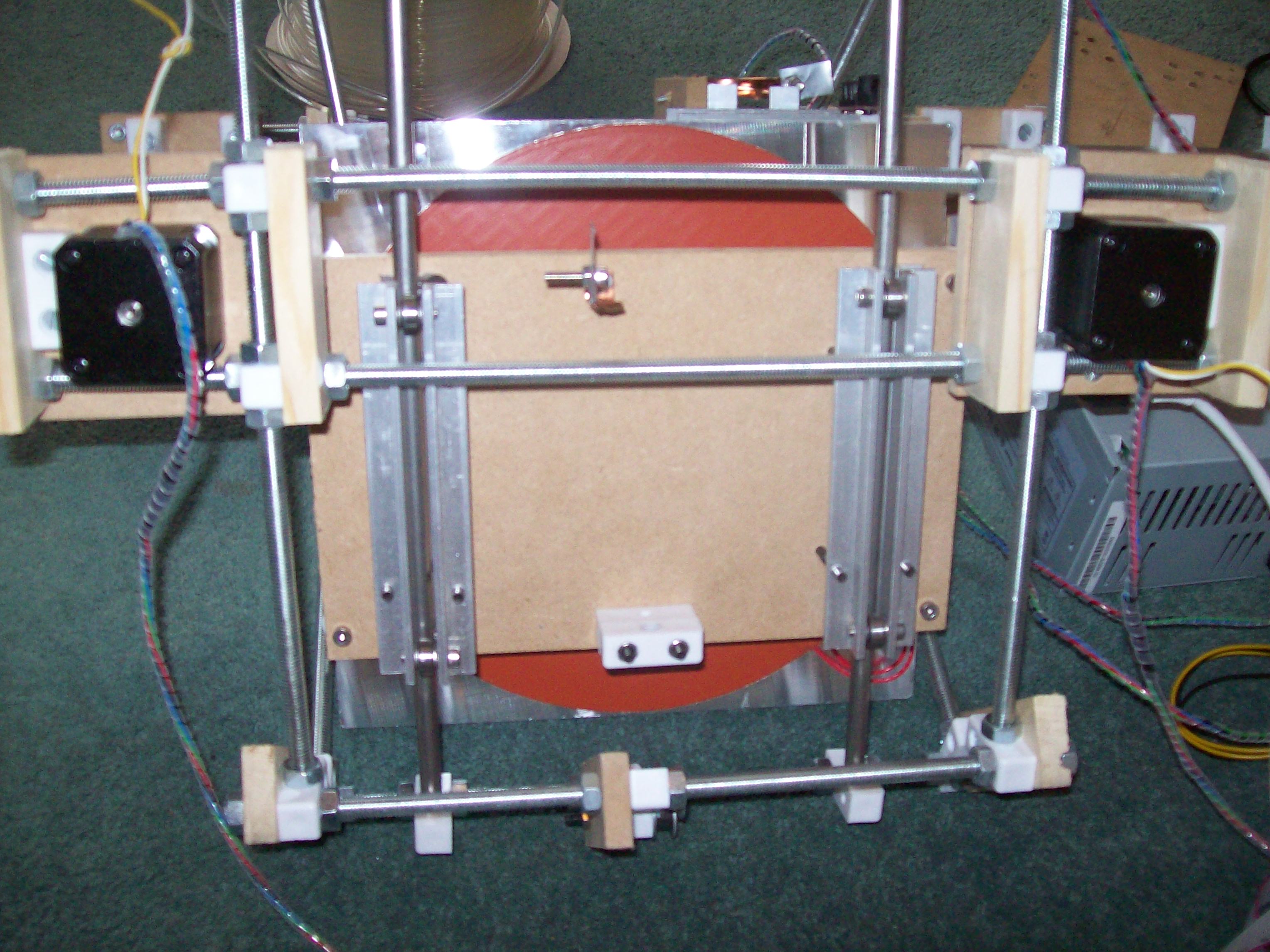
For some reason my Y Chassis started to stiffen up such that the leadscrew would pull out of the silicone tubing attaching it to the stepper. Although I managed to get it working again with the leadscrew, I figured that this would not be much good when I upgraded to belts. There were a couple of other niggles I had with the design, so I decided to redesign and rebuild the chassis. This time rather than using fixit blocks to act as clamps I decided to go back to the tried and tested aluminum angle design.

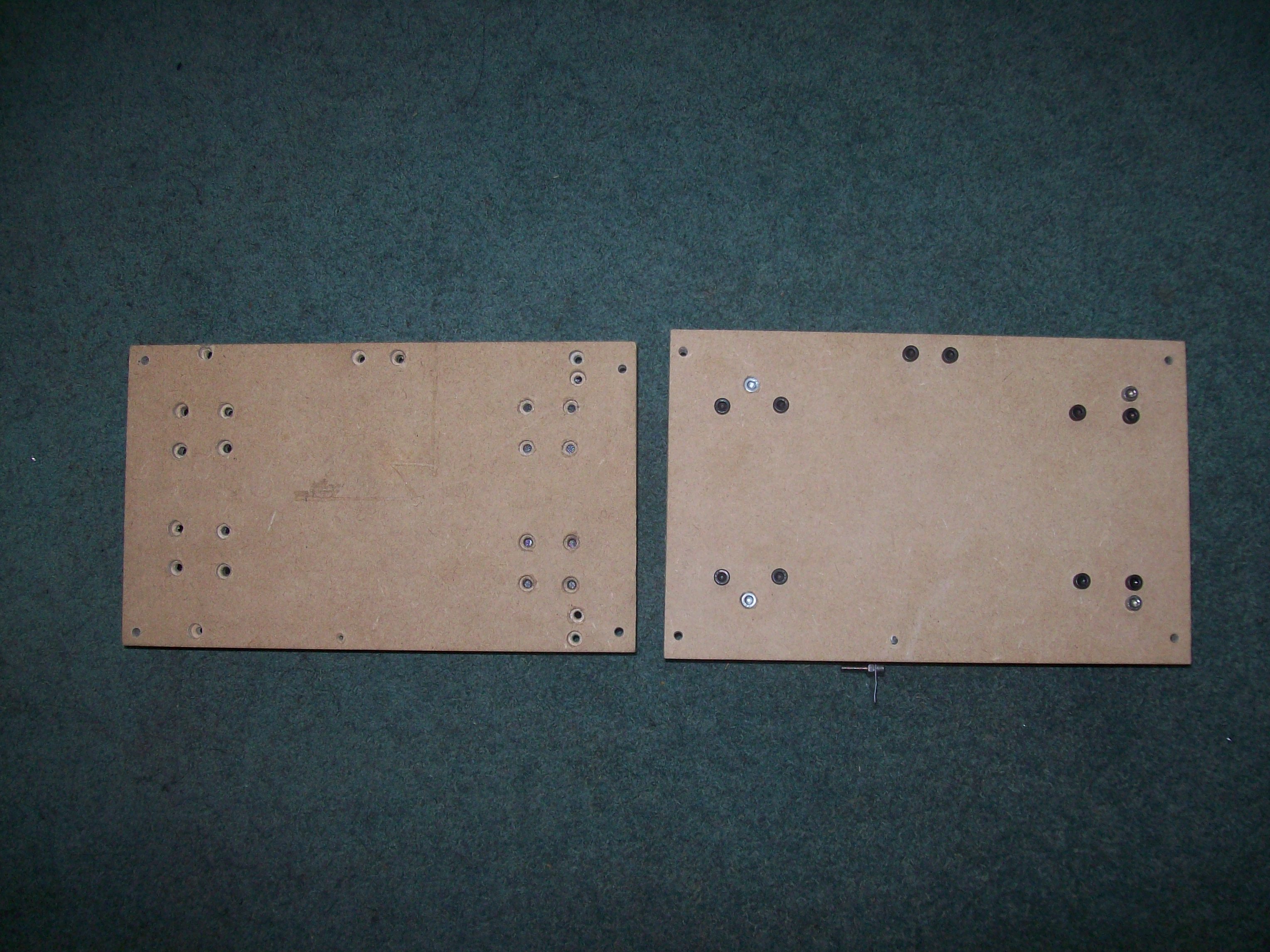
Since the build surface is raised above the chassis using PTFE stands, I didn’t need to do nearly any counter-sinking of holes, as before.

All the OverlapStrap drawings have been updated to reflect the changes.

By the way, If anyone is wondering what the big red thing is on the bottom of the bed its a huge 600W, 9″ Silicone heater for my heated bed. I will blog more about it when its finished but here is a sneak peak

Brazil 2010

(Note: This is a work in progress see Holidays)

The start of this holiday was a little bit hectic, as half way down to my parents house Joey realised that her passport had expired. This meant we had to get up super early and drive into London to get her passport renewed. We only just made it to the airport in time for a really late check in.  The 18 hours flight gave us a chance to relax and reflect in relief.

  • Santos
  • Fishing
  • Monkeys
  • Orchids
  • Delfinópolis (Minas Gerais)
  • Waterfalls
  • VW Beetle

Extracting 2D mendel outlines using OpenSCAD

Here is a quick and easy way to get 2D DXF drawings extracted from 3D STL shapes using OpenSCAD. Launch OpenSCAD and enter the following:

projection(cut=false) import_stl("/full/path/to/stl");

Replace “/full/path/to/stl” with the path to your stl file, and hit F6 to compile and render using CGAL.

From the Design pull down menu choose Export as DXF.

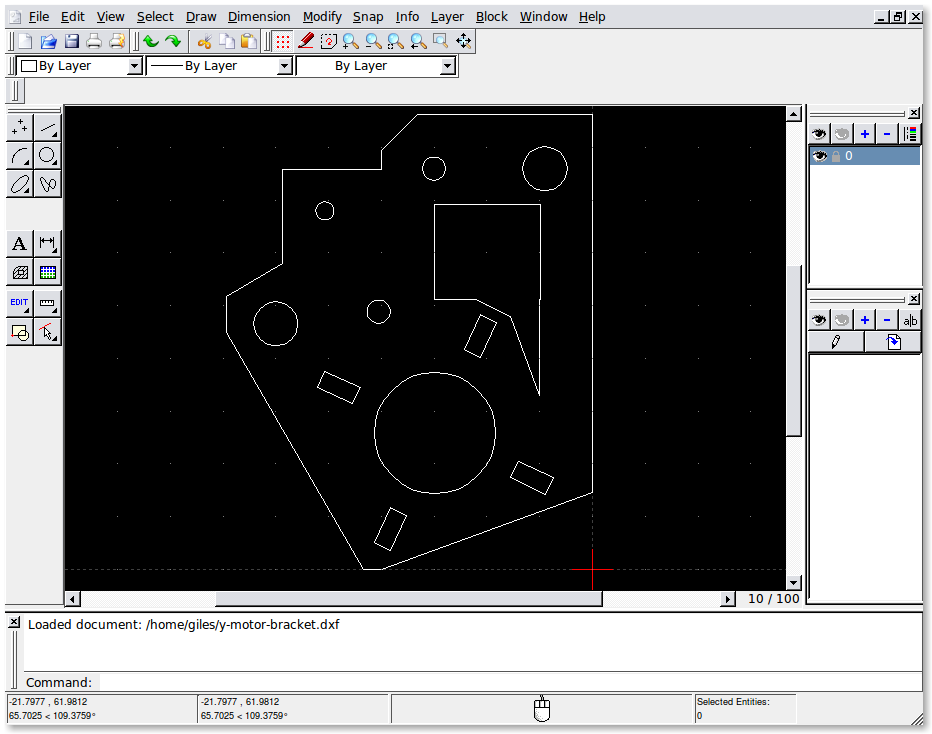
The resulting DXF file as viewed in QCad is basic (circles are made from several straight line segments), but its good for making measurements or printing out templates.

You might find that you have to rotate the STL if you want to get a projection from a different side. You can also set cut=true if you want to cut the object using the XY-plane instead of projecting onto the XY-plane, if you do you will need to translate your object by a negative Z value. e.g:

projection(cut=true) translate([0,0,-10]) rotate([0,90,0]) import_stl("file.stl");

See the projection function in the OpenSCAD manual for more details.

projection

Flash Bang Motherboard

I decided to “upgrade” my generation 3 electronics to use a real stepper motor driver instead of the PWM hack non-sense.

For those who don’t already know, the Makerbot electronics are not really designed for Mendel, and specifically the extruder controller is designed to run a gearmotor instead of Mendel’s stepper motor. The Mendel firmware was “hacked” to make the gearmotor controller push 12v through a 2.3v stepper motor but, by making the gearmotor controllers simulate PWM output (which reduces the output power) it doesn’t blow the stepper. From the perspective of re-purposing existing electronics, the idea is a “really neat hack”, and in theory it should just work. Needless to say that in practice, in my experience, the extruder controller makes the stepper run hot, and with a high pitched squeak coming out of it at all times.

Re-wiring the motherboard to use a separate extruder is quite a simple task, just connect the SCL output of the motherboard to the Dir pin of the stepper driver, and the SDA output to the Step pin. However when I came to do this myself I didn’t have and couldn’t find this vital bit of information. So using a multimeter connected to the powered up motherboard I tried to determine which output should be connected to which. Well in the process of probing around I managed to short +5v to GND. I heard a fssssszt noise and saw a flash come from the motherboard….oh no!

Well I think I managed a lucky escape, one of the tracks on the Motherboard had acted as a fuse and blew, so with the bit of repair shown above circled in green, the motherboard was working again.

PLA – For less warp.

Well for some of the bigger parts I have been trying to print, I have tried using Polylactic Acid.

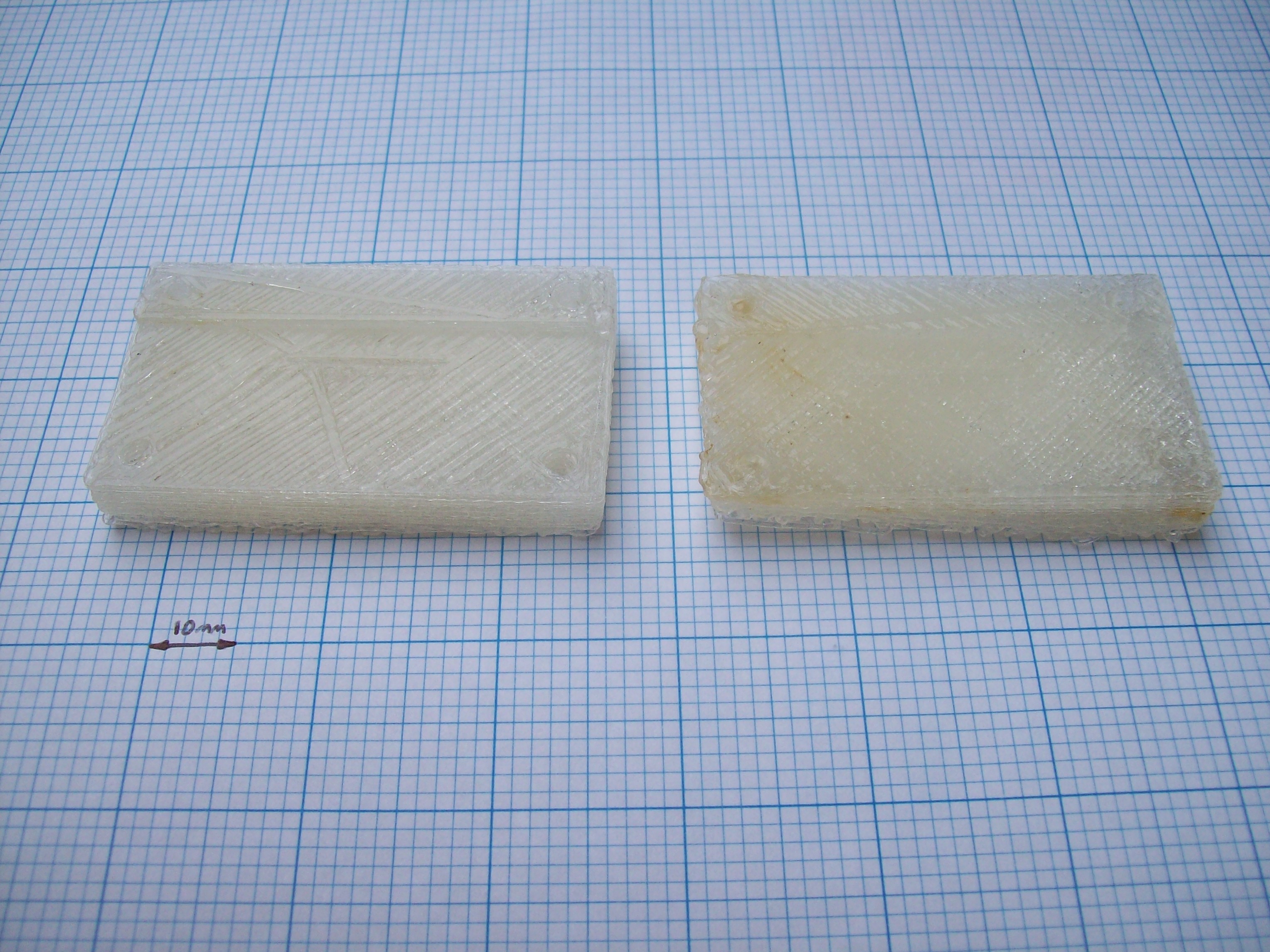
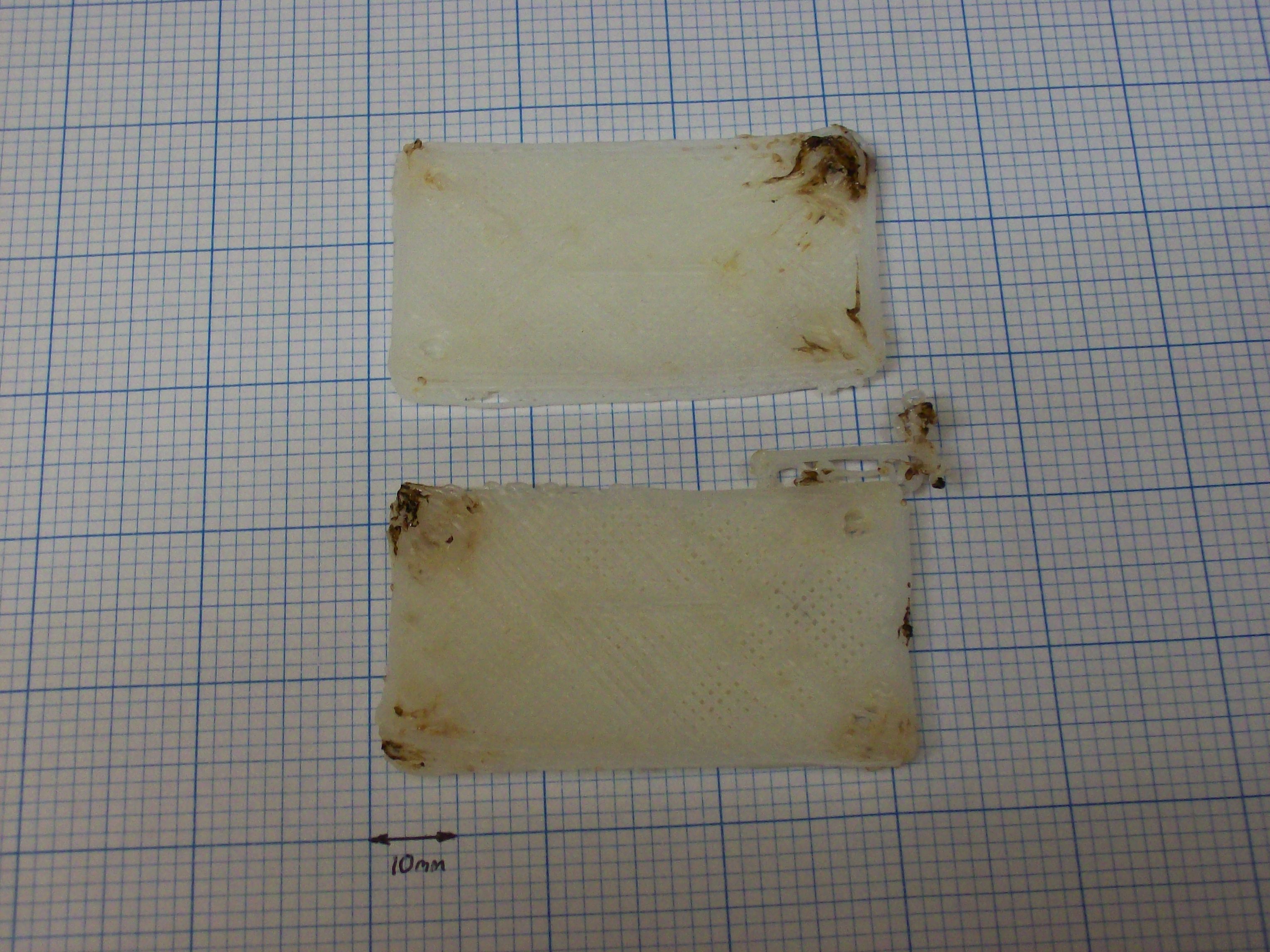
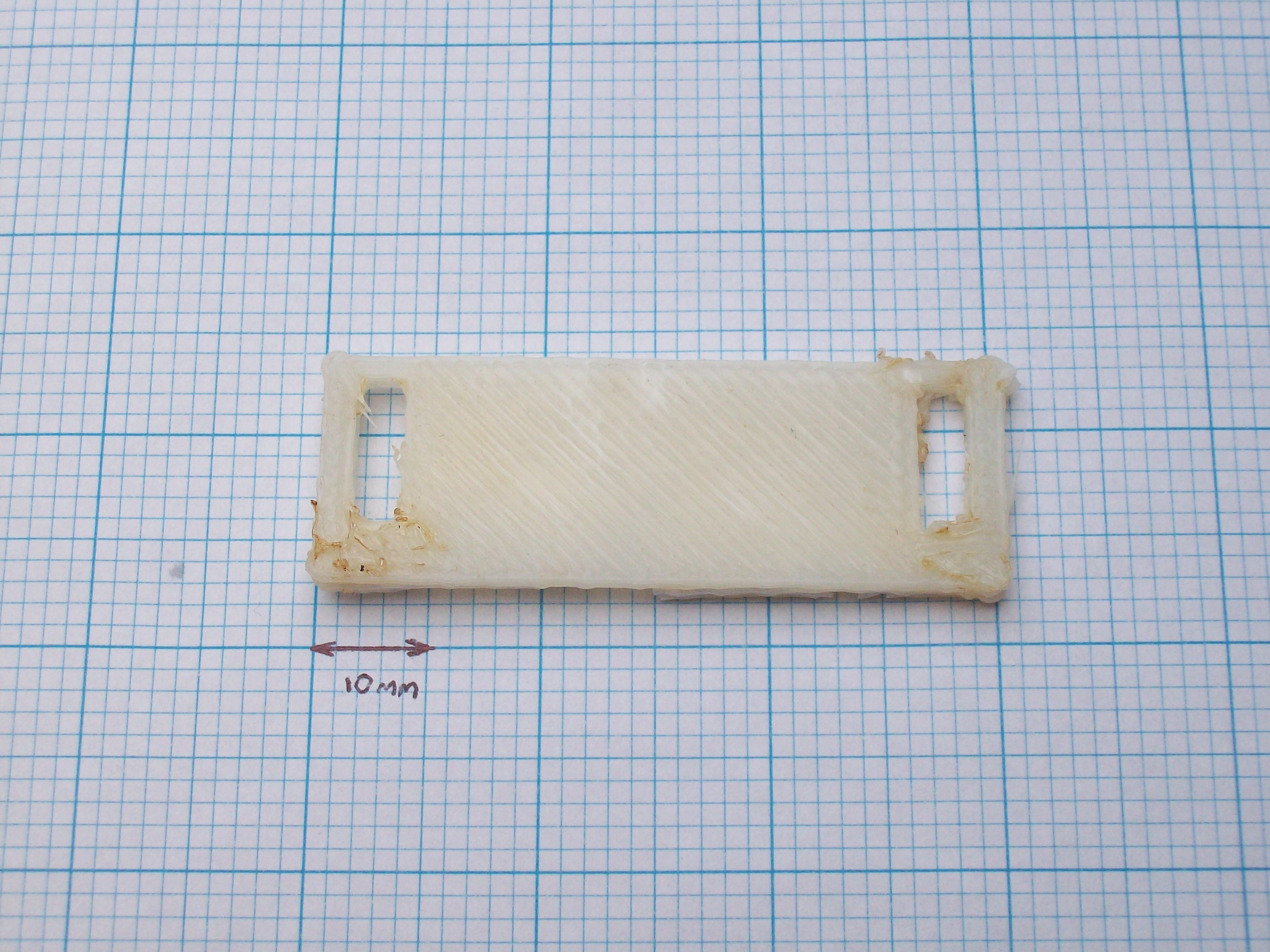
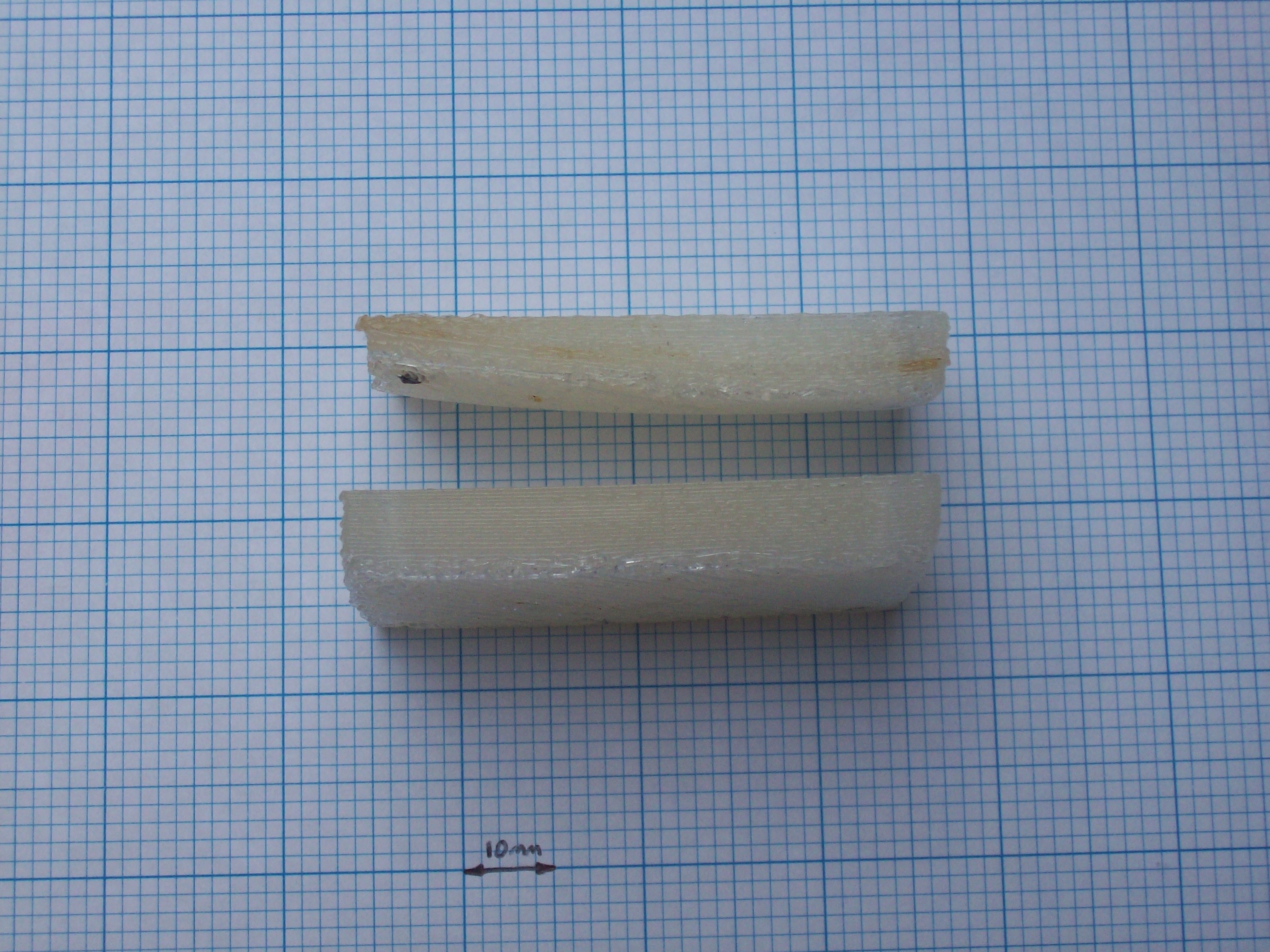
The first part I printed with the PLA, belt-split-jig-universal-20ff.stl, was a great success. But the second copy wasn’t so good. I have no idea why, but perhaps the ambient air temperature of the room was different.

The second copy is on the right in the first image, and on the top in the second image. You can see that a corner lifted quite substantially during the print.

One mans trash, is another mans filament holder.

I recently had someone round to fit a new Aerial to the exterior of my house (previously I had a makeshift Aerial propped up in the loft) Just after he left I noticed that he had left an empty coaxial cable reel next to my dustbin.

Great I thought I shall use it a a filament dispenser. Now all I have to do it attach a spindle so that it can rotate freely. I was lucky to get hold of one for free, I guess the only way someone else could get one is to buy some coaxial cable

Teeth and Wings

I haven’t posted for a while because I have been too busy tinkering and printing things 😉 But I thought I would post an update because I have finally managed to print some usable pulley’s.

I am finding Repsnapper, much easier to use than anything else and I am getting good results because it keeps the gcode simple. Removing the shield and homing gcodes, saves a lot of time and headaches. Thanks to Trish for that who timed my printer while it was returning home, and calculated that I could save about 1hr 30mins on the overall print!

Gravity – The delusive force

Why is gravity so weak? Possibly because its the sub-dimensional effect of a much stronger super-symmetric hyper-force. Maybe its because gravity is mediated by closed strings whereas the other forces are mediated by open strings. Either way, as well as being extremely weak compared to the other fundamental forces its also extremely  unreliable. Sure we stay attached to the earth most of the time, but when it comes to holding things down like the Y Axis of my OverlapStrap you cant rely on it at all!

To resolve this problem I added some reinforcements to the Y-Chassis so that it is clamped down in much the same was as the X-Carriage.

I had run out of alu angle, so I used fixit blocks instead, and also because it just illustrates a slightly different implementation of the same concept. I also got some scotch double sided tape as recommended and covered the acrylic bed with it. With these tweaks in place I was able to print belt-width-adjuster_1off.stl again, only this time I could remove it from the bed without breaking it.

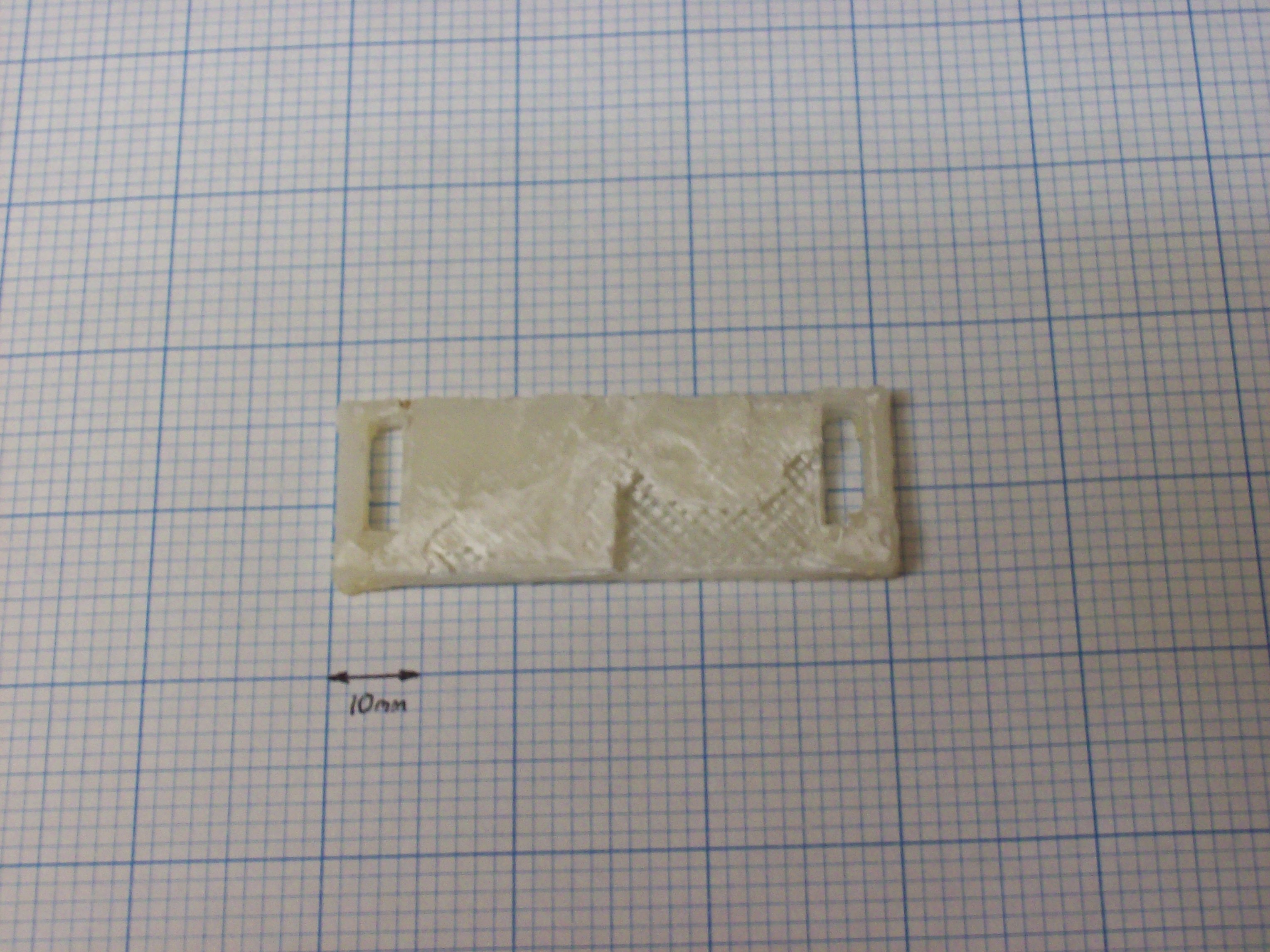
The photo above is the bottom side that was attached to the bed, the top is pretty much the same quality as before. Then I got a bit more ambitious and decided to print something bigger belt-split-jig-bracket-universal_2off.stl
Sadly both of these failed. The problem this time is that being larger parts, they succumb to the effects of warping. The parts warped so much that the part came off the bed mid print, and the layers got completely misaligned. I have ordered the parts for a heated bed, and also ordered some PLA, as I understand warping is less of a problem with PLA.

Going back to smaller parts, my best print so far after alot of tinkering, and pain with reprap host came out much better than my first attempt.

On the left is the new print, and on the right is my first print for comparison. For reference, my settings I tweaked were:

  • Reduced Temp to 220°C
  • Increaced Filament Size to 0.85mm
  • Increaced Infill Size to 0.6mm
  • Increaced Layer Height to 0.4mm
Reprap Host – Gotcha’s

There are a number of “features” in reprap host that make it confusing to use. So much so that most people seem to have given up on it and now recommend either using Skeinforge or Repsnapper.

  • There are a number of “legacy” preferences, that at first look, you would expect can adjust things like the steps/mm however these settings are really edited by modifying the firmware
  • The MaximumFeedRateX and MaximumFeedRateY parameters do effect the feedrate, but only when using the axis jog dials. When printing, or using the Home button (in the same screen as the jog dials!) The firmware settings are used.
  • The Extruder control tab seems to start off with the extruder set to reverse despite the reverse checkbox being un-checked. You have to check and uncheck it to get it to be correct.
  • The feed-rate of the Extruder is constrained by the  Extruder0_FastXYFeedrate setting which would be expected, however its also constrained by the MaximumFeedRateX and MaximumFeedRateY Global preferences. This is quite annoying for me, because I have such a low feed rate (200mm/min) so if I want to use the XYZ jog dials I have to set the preference to 200mm/min, but then if I want to prepare the extruder by loading it up with filament, I have to remember to go and change all the preferences to 3000mm/min
  • By clicking various combinations of the ramp and switch heat on/off button the text on the button can say anyone of the following:
    • Switch heat on
    • Switch heat off
    • Switch heater off
    • Switch heater on

    Also because the ramp button does not properly change the up/down state of the heat button by playing around you can get various confusing combinations of state compared to the text that tells you what the state will be when you press it!

  • The Ramp button is only really needed for drying cement, (i.e. part of the extruder manufacturing process) Its really confusing to have this button on the tab at-all, especially in combination with the above feature.
  • The Layer height preference must be set the same for all extruder’s. If different settings are used for each extruder the software makes a calculation error and starts the print at Z4.0 i.e 4mm above the bed! This one caused me a lot of pain recently as I had no clue as to why the gcodes being generated would be wrong. it was only by chance that I ran reprap from the command line and noticed an error message saying that they were different, and luckily guessed that this was the cause.
  • The documentation suggests that by changing InterLayerCooling to false and setting Extruder0_CoolingPeriod to -1 that the machine will not return to the home position between each layer, however looking through the source code it is apparent, that it is impossible to disable Homing. The software needs to be fixed to achieve this.
  • Finally Reprap host is incredibly slow, its about 10x slower than Skeinforge, and Skeinforge is about 10x slower than Repsnapper, making Reprap host 100x slower than Repsnapper! I should think the reason for this is probably the use of TeMpOrY gcode files rather than using memory mapped files or something else. When I run reprap host, my system usually grinds to an unusably slow rate for 10 mins or so. Repsnapper generates gcode for the same file in a number of seconds.

Finally here is a screenshot of the wonderful Repsnapper (since I had never seen a screenshot before using it)

Welcome to the future.

Acrylic Bed

I was having trouble getting the first layer to stick so I mounted an acrylic bed. I had to move my Z end-stop up, so at the same time I mounted the Z end-stop on an adjustable riser, so that I could fine tune my Z offset.

With these two tweaks I was able to get a really good print of belt-width-adjuster_1off.stl

The trouble was that it stuck to the acrylic too well, and was near impossible to remove, in the process of removing it I completely wrecked the underside of the print.

I have been told that a good material to print onto is scotch blue tape, so I am going to try that next.